

This hotkey is useful for anyone exiting positions manually or just to have it at hand when things are going south or for advanced scripting when calling an Exit is needed at a specific situation or a specific price.
The features of the universal Exit hotkey
One hotkey for seamless long and short execution.
Intelligent detection and rounding of sub-dollar prices.
Precise limit-order execution.
Fully operable without a chart window.
Advanced syntax directly targets a designated Montage window, enabling use from anywhere.
Automated exits using an adjustable offset from the current market price.
Prerequisites
Having DAS Trader Pro set-up as described in the previous post https://www.guardiantrading.com/how-to-prepare-your-das-trader-pro-for-advanced-hotkeys-scripting/
The EXIT Hotkey
It can be used as a montage hot button or any window button, hotkey, or script.
$montage=getwindowobj("Montage1");
$MYPOS=GetAccountObj($montage.account).getposition($MONTAGE.Symbol).share;
if ($MYPOS==0)
{
MsgBox("No position to close");
}
else
{
$MONTAGE.CXL ALLSYMB;
if ($MYPOS>0)
{
$Montage.price=$montage.last*0.98;
}
else
{
$Montage.price=$montage.last*1.02;
}
if ($MONTAGE.price>=1)
{
$MONTAGE.Price=Round($Montage.price,2);
}
else
{
$MONTAGE.Price=Round($Montage.price,4);
}
//set your exit route
$MONTAGE.ROUTE="LIMIT";
$MONTAGE.Share=$MONTAGE.POS;
$MONTAGE.Send=Reverse;
}
Configurable parameters
The offset is set to 2% from the last price. It means that the limit price for the exit will be set to 2%. I found the 2% being safe to use as larger values could be denied by the order servers. Make sure you use something you have tested to be working for your style. It is defined by the 0.98 and 1.02 numbers.
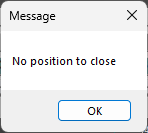
If there is no position opened for the symbol, it will pop up a message. If it is not needed, the line can be deleted
The route is set to "LIMIT", use your preferred route if you need quicker exits.
For exiting with rebates, the offset needs to be reversed, but that does not guarantee an exit, so make sure you can afford exiting with rebates.
How to call the exit hotkey from within an alert or a script
Save the above hotkey into the hotkeys and name it as EXIT
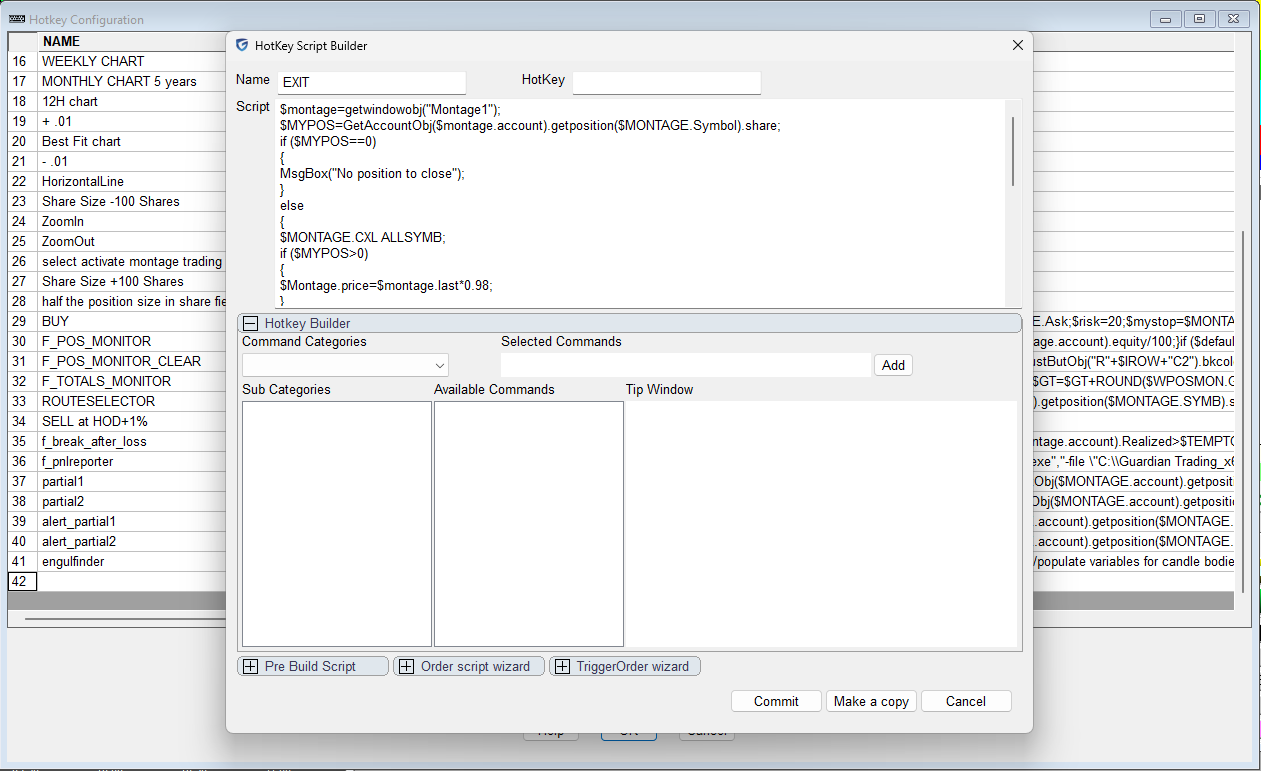
Now we can call the EXIT hotkey from within a price alert. The creation of an alert has been described here: https://www.guardiantrading.com/das-trader-pro-how-to-create-alerts-with-hotkeys/
We need to add one more line to the simple price alert to add the Exit hotkey call into the Script field
$MYSYMB=$MONTAGE.SYMB;
$MYALERT=NewAlertObj();
$MYALERT.name="Price Reached";
if($MONTAGE.PRICE<$MONTAGE.LAST)
{
$MYALERT.AddItem("Last Sale","<",$MONTAGE.PRICE);
}
else
{
$MYALERT.AddItem("Last Sale",">",$MONTAGE.PRICE);
}
$MYALERT.Speak=1;
$MYALERT.SYMB=$MYSYMB;
$MYALERT.PlaySound=0;
$MYALERT.Autodelete=1;
$MYALERT.Script="$montage.symbol="+$MYSYMB+";$montage.exechotkey\(\"EXIT\"\);";
$MYALERT.Loop=0;
$MYALERT.save();
which will create an alert like this
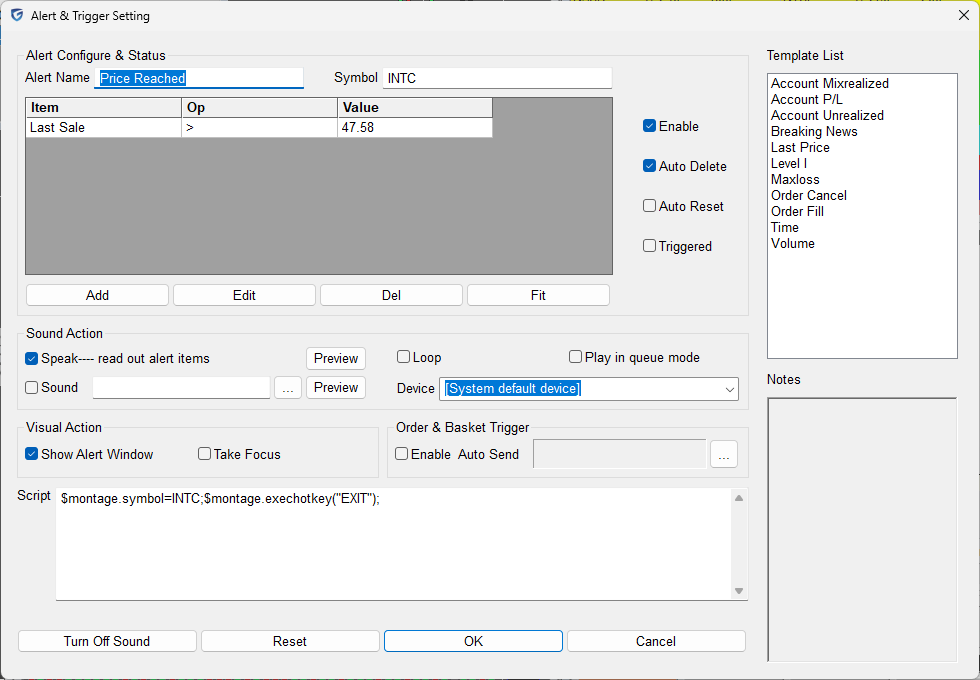
We can create one alert above and one below the average price, effectively creating a range order mechanism working in all market hours.
When the price reaches one side or the other of the trade, the alert is triggered, the EXIT is called, and the alert is auto-deleted. The other alert remains, but even if it triggers, it will not do anything other than popping the message that there is no position to close.
More advanced uses of these techniques, like auto-deleting the other alert and auto-replacing them based on unrealized or realized profits, or partial exits are possible.
The limits
The limits of this solution are that the PC and the DAS Trader Pro need to be running, as all the logic is present at the PC not at the broker. That means that the price is being monitored on your pc and the exit is triggered only once the program on your PC detected the price change.
For more advanced scripting, You can visit my substack - Peter's Substack where I elaborate on the newest features, ideas and do custom solutions for specific needs.
Author: PeterB
Disclosure Statement 1. Hotkey scripts should always be thoroughly tested in a paper trading environment prior to any live deployment. Guardian Trading assumes no responsibility for errors, malfunctions, or financial losses arising from the use, misuse, or modification of custom hotkey configurations. Traders are solely responsible for the creation, testing, and implementation of their own scripts.This guide is provided for informational and educational purposes only and does not constitute trading advice or an endorsement of any specific configuration. The examples herein are illustrative in nature and should not be copied, replicated, or relied upon without independent verification and testing. Use of this material constitutes acknowledgment and acceptance of these terms.
2. No information provided by Velocity Clearing, LLC (“Velocity” or the “Firm”), directly or indirectly, should be considered a recommendation or solicitation to adopt any particular trading or investment strategy or to invest in, or liquidate, a particular security or type of security. Information provided by Velocity on its Twitter, Facebook or Blog pages is for informational and educational purposes only and is not intended as a recommendation of any particular security, transaction or strategy. Commentary and opinions expressed are those of the author/speaker and not necessarily those of the Firm. Velocity does not guarantee the accuracy of, or endorse, the statements of any third party, including guest speakers or authors of commentary or news articles. All information regarding the likelihood of potential future investment outcomes are hypothetical. Future results are never guaranteed. Any examples that discuss potential trading profits or losses may not take into account trading commissions or fees, which means that potential profits could be lower and potential losses could be greater than illustrated in any example. Users are solely responsible for making their own, independent decisions about whether to use any of the research, tools or information provided, and for determining their own trading and investment strategies.